
-4%

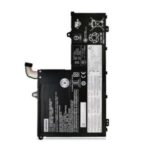
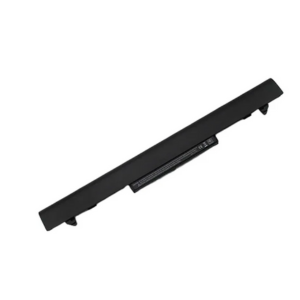
Lenovo TB 13S L18D4PF0 Battery

Original price was: KSh 6,800.00.Current price is: KSh 6,500.00.

The Lenovo TB 13S L18D4PF0 battery is a 4-cell, 11.52V, 45Wh Li-Polymer battery compatible with ThinkPad T490, T495, T14 Gen 1, and more. Perfect for restoring performance and reliability.

Category: Brand:
WhatsApp Order
Supported payment types:

Need Help? Contact us !

Countrywide Shipping

Money Back Guarantee

Contact us any time

Secure Payment

Overview

🔋 Lenovo TB 13S L18D4PF0 Battery Replacement – Reliable Power for Lenovo ThinkPad T Series

Restore your laptop’s battery life with the Lenovo TB 13S L18D4PF0 battery replacement, designed specifically for select ThinkPad models. Built to OEM standards, this lithium-polymer battery ensures long-lasting performance, safe charging, and dependable power for productivity on the go.


🔹 Key Features

  • High-quality Li-Polymer battery with 11.52V and 45Wh capacity for extended usage.

  • Designed for seamless compatibility with Lenovo ThinkPad T490, T495, T14 Gen 1, and similar models.

  • Built-in safety circuitry for overcharge, discharge, and temperature protection.

  • Premium-grade cells ensure efficient energy storage and consistent power delivery.

  • 100% new and factory-tested for quality, safety, and longevity.

  • Ideal for replacing worn-out or failing batteries and restoring full battery life.


🔹 Compatible Lenovo Laptop Models

The L18D4PF0 battery is compatible with a range of Lenovo laptops, including:

  • ThinkPad T490 / T495

  • ThinkPad T14 Gen 1 (Intel & AMD)

  • ThinkPad A485

  • ThinkPad L13 / L13 Yoga

  • ThinkPad X395


🔹 Compatible Part Numbers

Replaces the following Lenovo part numbers:

  • L18D4PF0

  • L18M4PF0

  • L18L4PF0

  • SB10W67208

  • SB10W67209


 Technical Specifications

Specification Details
Battery Model L18D4PF0
Voltage 11.52V
Capacity 45Wh / 3900mAh
Battery Type Li-Polymer
Number of Cells 4-cell
Compatible Brand Lenovo
Condition Brand New, Grade A
Warranty 6 to 12 months (varies)

 Installation & Battery Care

Installing the Lenovo TB 13S L18D4PF0 battery is simple with basic tools. Power off the device, detach the old battery, and connect the new one securely. Calibrate by fully charging and discharging for the first 2–3 cycles. Store in a cool, dry place when not in use to prolong lifespan.


🔗 Useful Links

Details

Reviews

There are no reviews yet.


Be the first to review “Lenovo TB 13S L18D4PF0 Battery”

Related Products

Big Sale! - Free Shipping On All Orders in Nairobi CBD! -