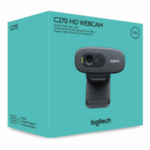
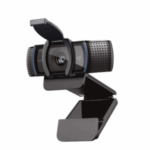



LOGITECH C920 HD PRO WEBCAM
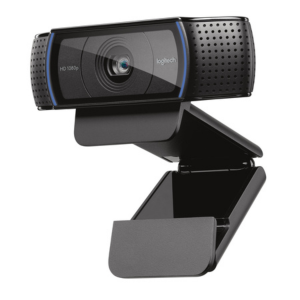
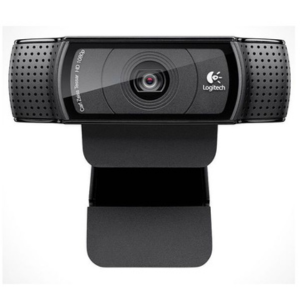
The Logitech C920 HD Pro Webcam offers Full HD 1080p clarity, dual mics, and superior light correction for sharp, natural video and audio — perfect for professionals, streamers, and students.
- Order now and receive your order within 48hrs
Countrywide Shipping
Money Back Guarantee
Contact us any time
Secure Payment
Overview
🎥 LOGITECH C920 HD PRO WEBCAM – Professional Full HD 1080p Video for Streaming and Conferencing
The Logitech C920 HD Pro Webcam delivers crystal-clear Full HD 1080p video at 30 fps, making it ideal for professional video calls, live streaming, online teaching, and content creation. With automatic light correction, dual microphones, and sharp autofocus, the C920 ensures you always look and sound your best — whether in a meeting or on your favorite streaming platform.
🔹 Key Features
- Full HD 1080p video – Enjoy stunning high-definition clarity for video calls, live streams, and recordings.
- Auto light correction – Adjusts intelligently to lighting conditions for optimal brightness and detail.
- Autofocus lens – Keeps your face crisp and clear, even when moving.
- Dual stereo microphones – Capture natural, clear audio from multiple angles.
- Universal mounting clip – Attaches securely to laptops, monitors, or tripods.
- Wide 78° field of view – Perfectly frames you and your surroundings.
- Plug-and-play via USB-A – Easy setup with no additional drivers required.
- Cross-platform compatibility – Works seamlessly with Windows, macOS, Chrome OS, and most calling apps.
⚙️ Technical Specifications
| Feature | Details |
|---|---|
| Model Name | Logitech C920 HD Pro Webcam |
| Resolution | Full HD 1080p at 30 fps / HD 720p at 30 fps |
| Field of View | 78° |
| Focus Type | Autofocus |
| Microphone | Dual stereo mics |
| Connection Type | USB 2.0 (Plug & Play) |
| Mounting Options | Universal clip for monitors, laptops, and tripods |
| Compatibility | Windows 10+, macOS 10.10+, Chrome OS, Android v5.0+ |
| Dimensions | 94 mm × 24 mm × 29 mm |
| Weight | 162 g |
⚙️ Installation and Setup
Simply connect the C920 HD Pro to your computer via the included USB cable, and it will automatically install compatible drivers. You can enhance your experience using Logi Tune or Logitech Capture software to adjust settings, zoom, focus, and image filters for professional-quality results.
🔗 Useful Links
Explore more Logitech webcams in the Here.
Visit the official product page: Logitech C920 HD Pro Webcam.
Download the official datasheet: C920 Datasheet PDF.


Reviews
There are no reviews yet.