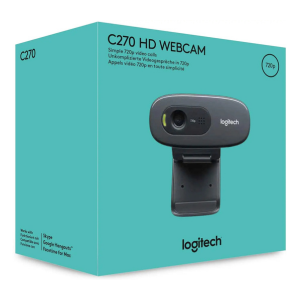
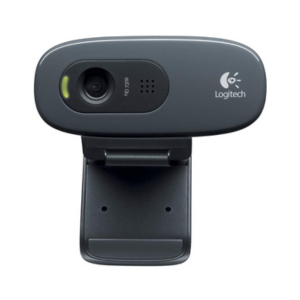
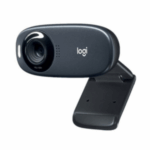



LOGITECH C270 HD WEBCAM
KSh 5,900.00 Original price was: KSh 5,900.00.KSh 5,200.00Current price is: KSh 5,200.00.
Compact and dependable, the Logitech C270 delivers HD 720p video, automatic light correction, and a noise-reducing mic for better online meetings and streaming.
- Order now and receive your order within 48hrs
Countrywide Shipping
Money Back Guarantee
Contact us any time
Secure Payment
Overview
🎥 LOGITECH C270 HD WEBCAM – Crisp 720p HD Video with Auto Light Correction
The Logitech C270 HD Webcam delivers reliable HD 720p video and clear voice capture in a compact, plug-and-play package—perfect for video calls, remote work, online classes, and everyday streaming. It features automatic light correction to improve visibility in dim conditions, a noise-reducing built-in microphone, and a universal mounting clip that fits laptops, monitors, or tripods.
🔹 Key Features
-
HD 720p (1280 × 720) video at 30 fps for smooth, natural video.
-
Automatic light correction (RightLight) for better image in low or uneven lighting.
-
Noise-reducing mono microphone that prioritizes voice for clearer calls.
-
Universal mounting clip for laptops, LCD screens or tripods; 1.5 m (≈5 ft) USB-A cable.
-
Compact, durable design—lightweight and portable for home or travel.
⚙️ Technical Specifications
| Feature | Details |
|---|---|
| Model Name | Logitech C270 HD Webcam |
| Video Resolution | 1280 × 720 (720p) @ 30 fps |
| Field of View (dFoV) | ~55° |
| Focus Type | Fixed focus |
| Microphone | Built-in mono, noise-reducing (voice range ≈ 1–1.5 m) |
| Cable Length | 1.5 m (5 ft) USB-A |
| Mounting | Universal clip (monitor/laptop/tripod compatible) |
| Dimensions (H×W×D) | 72.9 × 31.9 × 66.6 mm |
| Weight | ~75 g |
| Compatibility | Windows, macOS, Chrome OS, common conferencing apps |
⚙️ Installation and Management
Plug the C270 into any USB-A port—no drivers required for most platforms. Position the universal clip on your laptop or monitor (or mount on a tripod), open your video app and select “Logitech C270” as the camera and microphone. For best results, place the camera at or slightly above eye level and avoid strong backlighting.
🔗 Useful Links
-
For more similar products visit here


Reviews
There are no reviews yet.